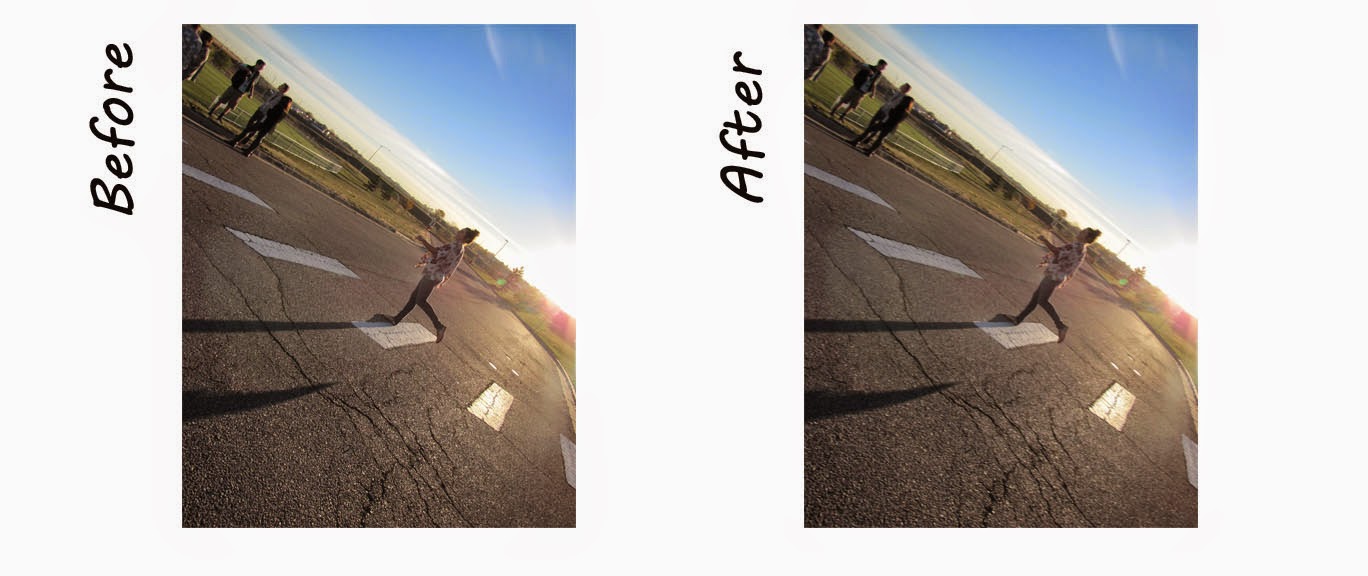
This is motion blur. This is a Photoshop technique in which you blur a still picture in the direction of the motion.
Monday, March 2, 2015
Monday, February 23, 2015
Gaussian Blur
Depth of Field:
This is using Photoshop to create a maximum and minimum depth of field. In Photoshop one can go to filter, blur, and then Gaussian Blur. From that point one takes the history tool brush to create the depth of field.
0-50-100:
When using this technique it creates a better and more realistic look. The first plan is 100 opacity and flow, the next is 50 opacity and flow, and the last one 0 opacity and flow. This creates a nice even flow.
Thursday, February 12, 2015
Comic Book Cover
Color Halftone:
Regular:
The purpose to this project is to create a Comic Book Cover. To create this, I had to get internet images for the "bang", "Pow", and "Wham". In addition, I added the bomb in the background from the internet. I also added the price tag and bar code. Using the text tool I added the issue tittle, speech bubble, volume number, and the tittle. To get the comic book effect I added the color halftone in Photoshop. The second one is with out the color halftone effect.
Regular:
The purpose to this project is to create a Comic Book Cover. To create this, I had to get internet images for the "bang", "Pow", and "Wham". In addition, I added the bomb in the background from the internet. I also added the price tag and bar code. Using the text tool I added the issue tittle, speech bubble, volume number, and the tittle. To get the comic book effect I added the color halftone in Photoshop. The second one is with out the color halftone effect.
Monday, February 2, 2015
Indoor Macro: Color Selection
This is still Indoor Macro but with a little twist. I color selected the color of each pencil. This emphasis the colors.
Friday, January 30, 2015
Indoor Macro Photography
Light Box:
Table with Pillow Lights:
This is Indoor Macro Photography. The way this type of photography is getting in not just close but ultra close. These can emphasis the texture of an object and sometimes can leave the viewer to guess what it is. "Macro opens a whole new world that we wouldn't ordinary visit." (Rowsam 2015). The first picture is in the light box. The light box allows the light to shine through transparent objects and helps to emphasis the texture. The next three photos are taken on the table with a white even background and pillow lights shinning over the objects. The pillow light gives the soft look to the picture. Each of these pictures where taken ultra close, thus, the success in the Macro Photography genre.
Thursday, January 22, 2015
Photo Restoration
Theses photos where all taken a long time ago. They have been sitting in boxes in a closet. The pictures all needed to be fixed in Photoshop. I used basic correction tools and a lot of clone stamping to fix each one.
Tuesday, January 13, 2015
Product Photography: For Fun
I decided to go a step further on this one and put another picture behind the actual image that related to the slogan and the product. The Tiger is in the background and I messed with the opacity to fade it but have it still be noticeable.
Subscribe to:
Posts (Atom)